
alignElementoDesde: siempre
Alinea contenido horizontal y verticalmente.
Ejemplo
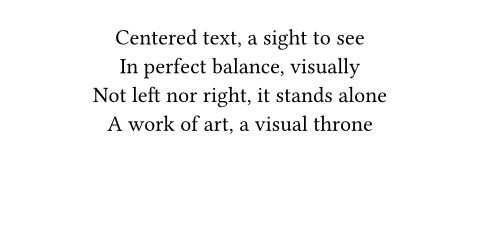
Empecemos centrando nuestro contenido horizontalmente:
#set page(height: 120pt)
#set align(center)
Centered text, a sight to see \
In perfect balance, visually \
Not left nor right, it stands alone \
A work of art, a visual throne
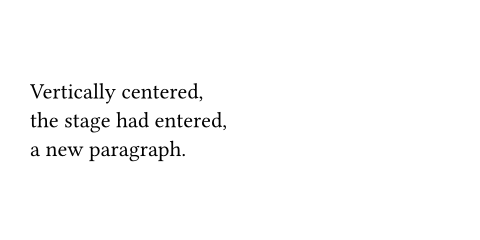
Para centrar algo verticalmente, usá la alineación horizon:
#set page(height: 120pt)
#set align(horizon)
Vertically centered, \
the stage had entered, \
a new paragraph.
Combinar alineaciones
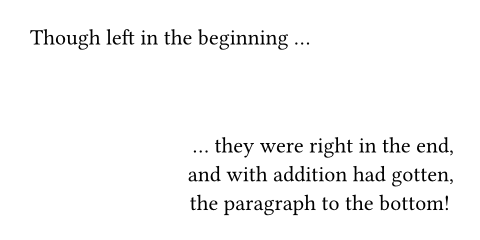
Podés combinar dos alineaciones con el operador +. Además, apliquemos esto solo a un fragmento de contenido usando la forma de función en lugar de una regla set:
#set page(height: 120pt)
Though left in the beginning ...
#align(right + bottom)[
... they were right in the end, \
and with addition had gotten, \
the paragraph to the bottom!
]
Alineación anidada
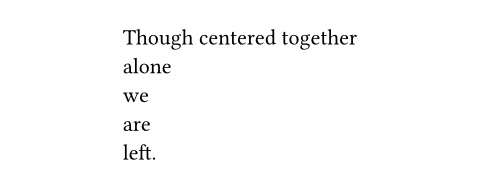
Podés usar alineaciones distintas para los contenedores de diseño y los elementos que hay dentro de ellos. De esta manera, podés crear diseños intrincados:
#align(center, block[
#set align(left)
Though centered together \
alone \
we \
are \
left.
])
Alineación dentro de la misma línea
La función align realiza una alineación de bloque y, por lo tanto, siempre interrumpe el párrafo actual. Para tener una alineación distinta en partes de la misma línea, tenés que usar en su lugar espaciado fraccionario:
Start #h(1fr) End

Parámetros
alignmentPor defecto: start + top
La alineación en ambos ejes.
 Ver ejemplo
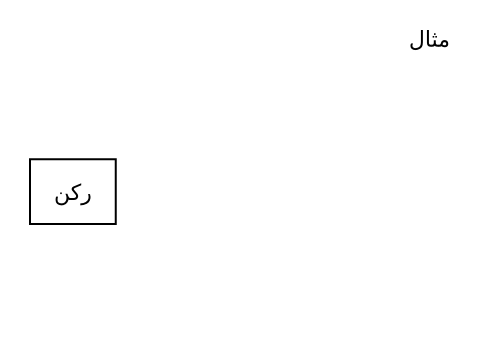
#set page(height: 6cm)
#set text(lang: "ar")
مثال
#align(
end + horizon,
rect(inset: 12pt)[ركن]
)
body
El contenido que se alinea.